How logee runs your freight,
screen by screen
logee is an AI transport management system that works the way freight actually moves: from your inbox and your forwarders, not from a data-entry project. Here is exactly what happens, from the first connection to proof of delivery.
Start from what you already use
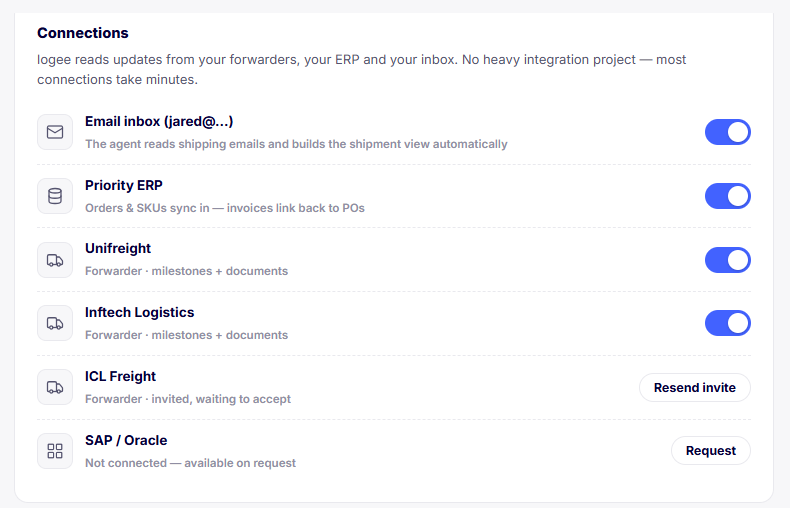
logee reads updates from your forwarders, your ERP and your inbox. There is no heavy integration project, and most connections take minutes. Connect the email you already run on Gmail or Microsoft 365 and the agent begins reading shipping emails and building your shipment view automatically.
Link an ERP such as Priority and your orders and SKUs sync in, with invoices linking back to their POs. Turn on each forwarder so their milestones and documents flow onto the right shipment.
- Inbox: the agent reads shipping emails and builds the shipment view
- ERP: orders and SKUs sync in, invoices link back to POs
- Nothing to learn for your team, nothing to install for partners
Set up a shipment in under a minute
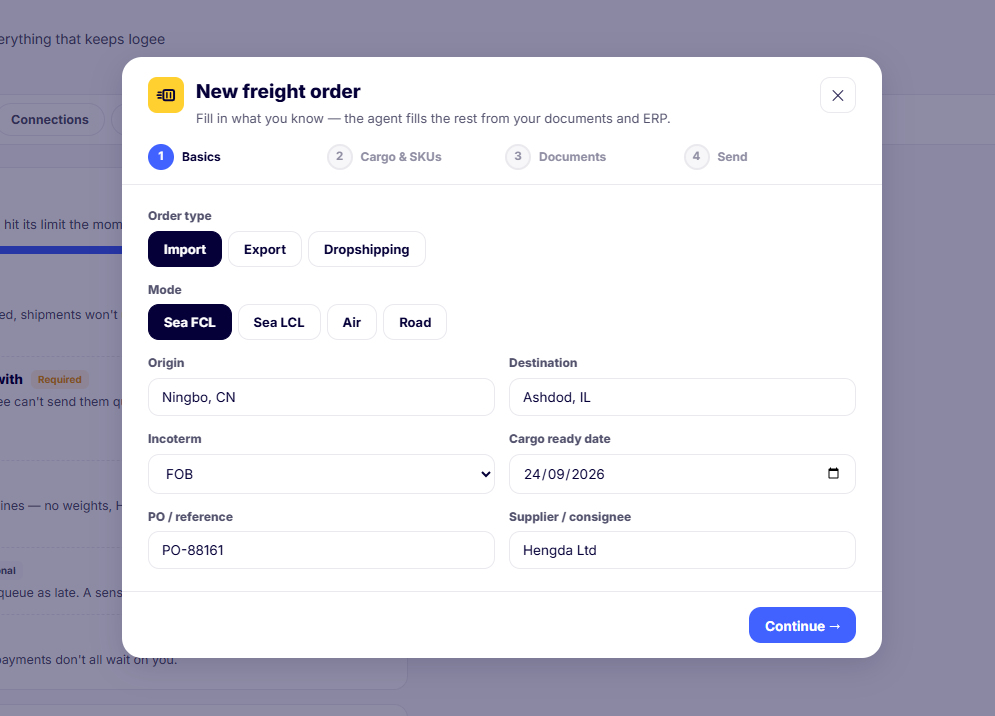
Every order starts with what you know. Choose the order type, import, export or dropshipping, and the mode, sea FCL, sea LCL, air or road. Add the origin and destination, the Incoterm, the cargo-ready date, your PO reference and the supplier or consignee.
From there the agent fills the rest from your documents and ERP, so you are confirming details rather than keying them in by hand.
- Import, export and dropshipping order types
- Sea FCL, sea LCL, air and road
- Incoterm, cargo-ready date, PO and supplier captured up front
A product catalogue that makes quotes accurate
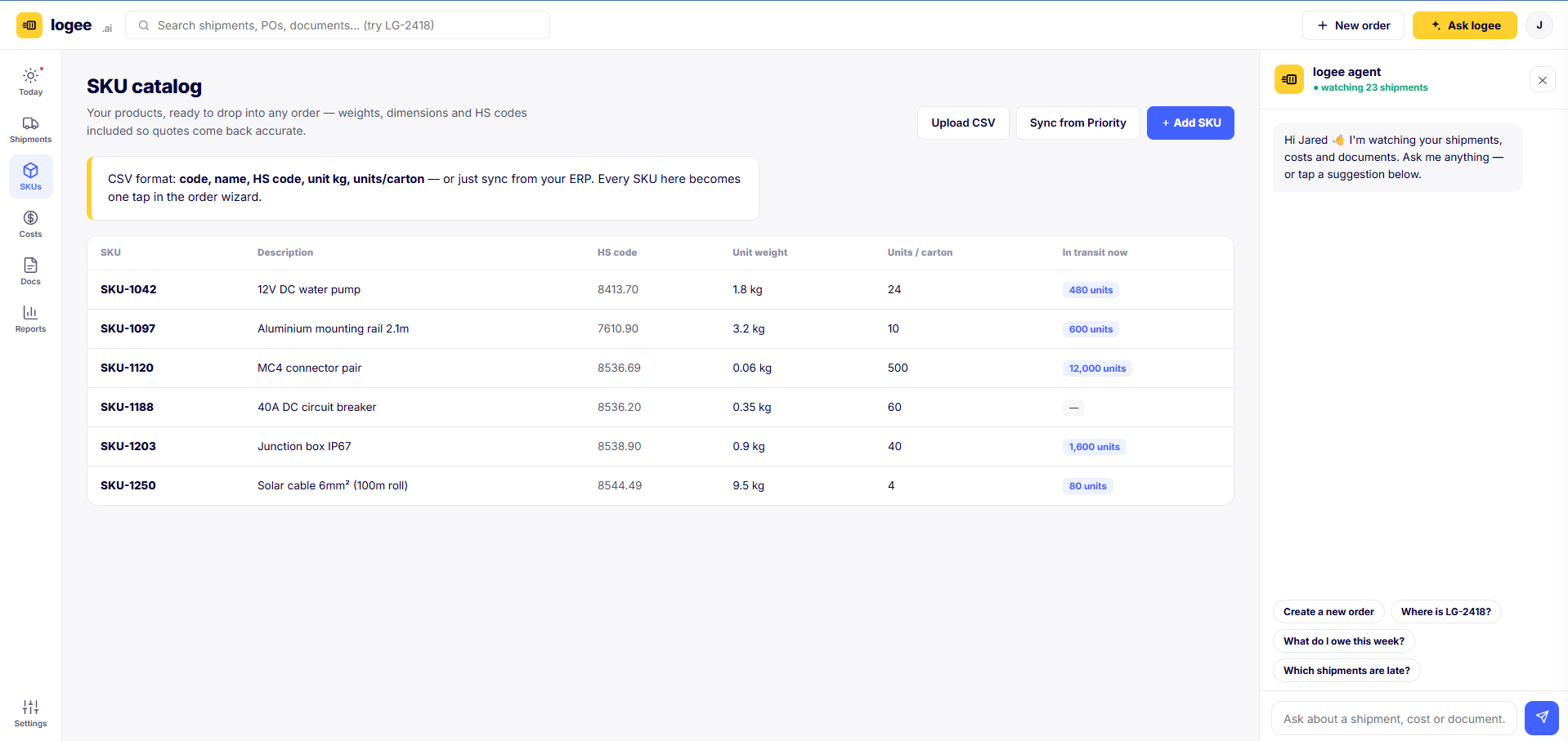
Freight quotes are only as good as the cargo detail behind them. logee keeps your products ready to drop into any order, with unit weights, dimensions and HS customs codes, so quotes come back accurate and customs has what it needs. Import by CSV or sync from your ERP; every SKU becomes one tap in the order wizard, and you can see how many units are in transit right now.
Request quotes, compare like for like, and book
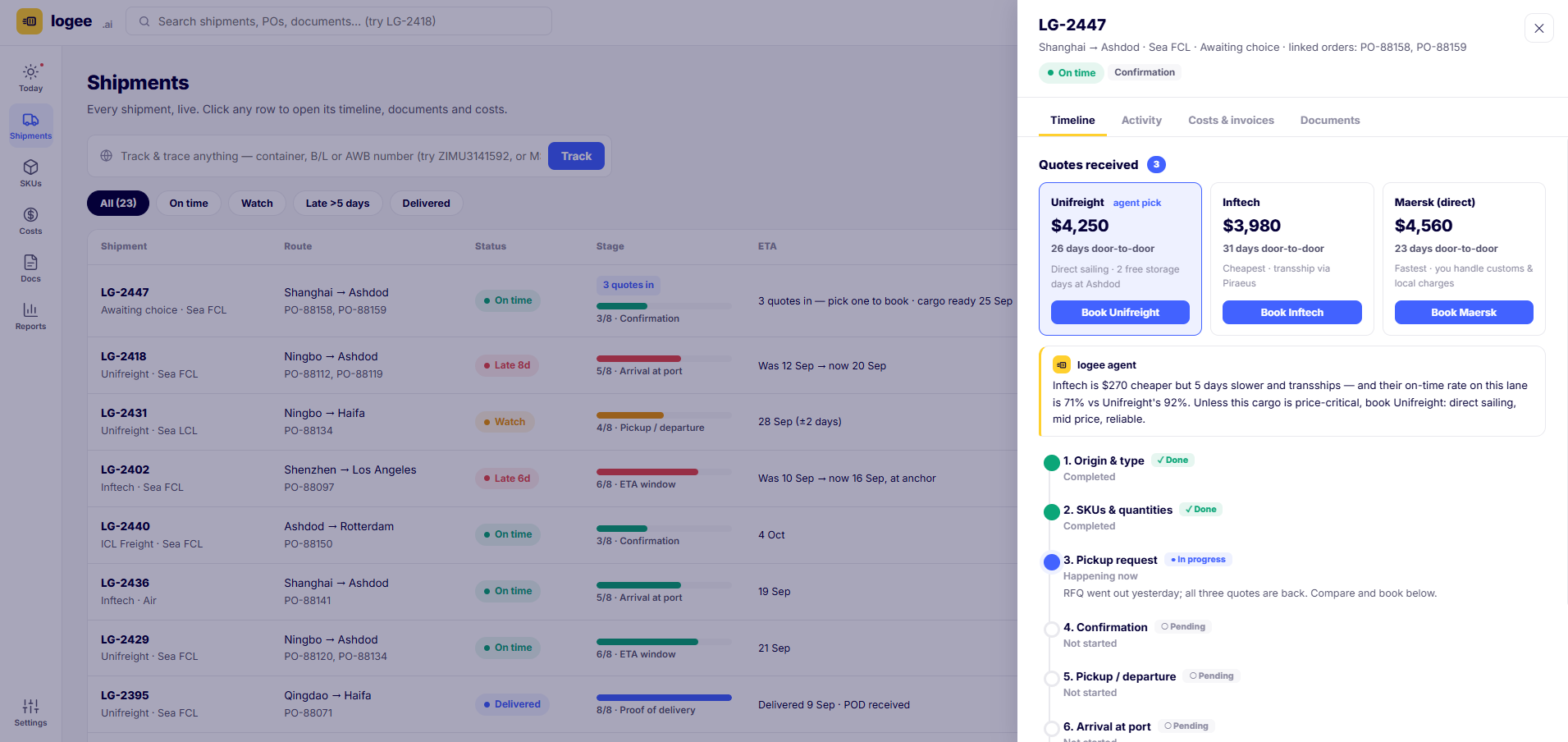
Send one request to the forwarders you already work with. As their quotes come back, logee lays them side by side, price, transit time and terms, so you compare like for like instead of digging through email.
The agent adds a recommendation in plain language: not simply the cheapest, but the best price-to-reliability call, weighing transit time, transshipment and each forwarder's on-time rate on that lane. Book the one you choose in a click, and the other quotes are declined for you.
- One request to multiple forwarders, quotes back on the order
- Side-by-side price, transit time and terms
- Agent recommendation on price versus reliability, you decide
Every message, document and milestone in one place
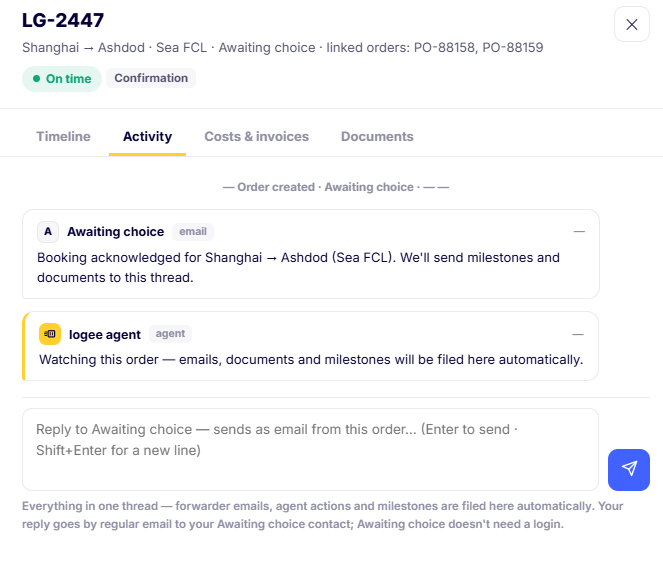
Because the inbox is connected, there is one place for all the communication on an order, not a hundred scattered emails. Forwarder emails, the agent's own actions and carrier milestones are filed to the order's thread automatically.
Reply straight from the order and it goes out as a normal email; your forwarder never needs to log into anything. Tag a colleague or broker and they are pulled in, and anyone new can read the whole story from the top.
- Inbound and outbound email threaded to the shipment
- Agent actions and milestones logged automatically
- Forwarders take part by email, with no login
Every shipment, live, in one view
The shipments view is every order at a glance. Each row shows the forwarder and mode, the route and linked POs, a colour-coded status, an 8-stage progress bar, the current ETA, and quoted versus actual cost with the variance highlighted. Filter by on time, watch, late or delivered, or paste any container, bill of lading or AWB number into track and trace to jump straight to that shipment.
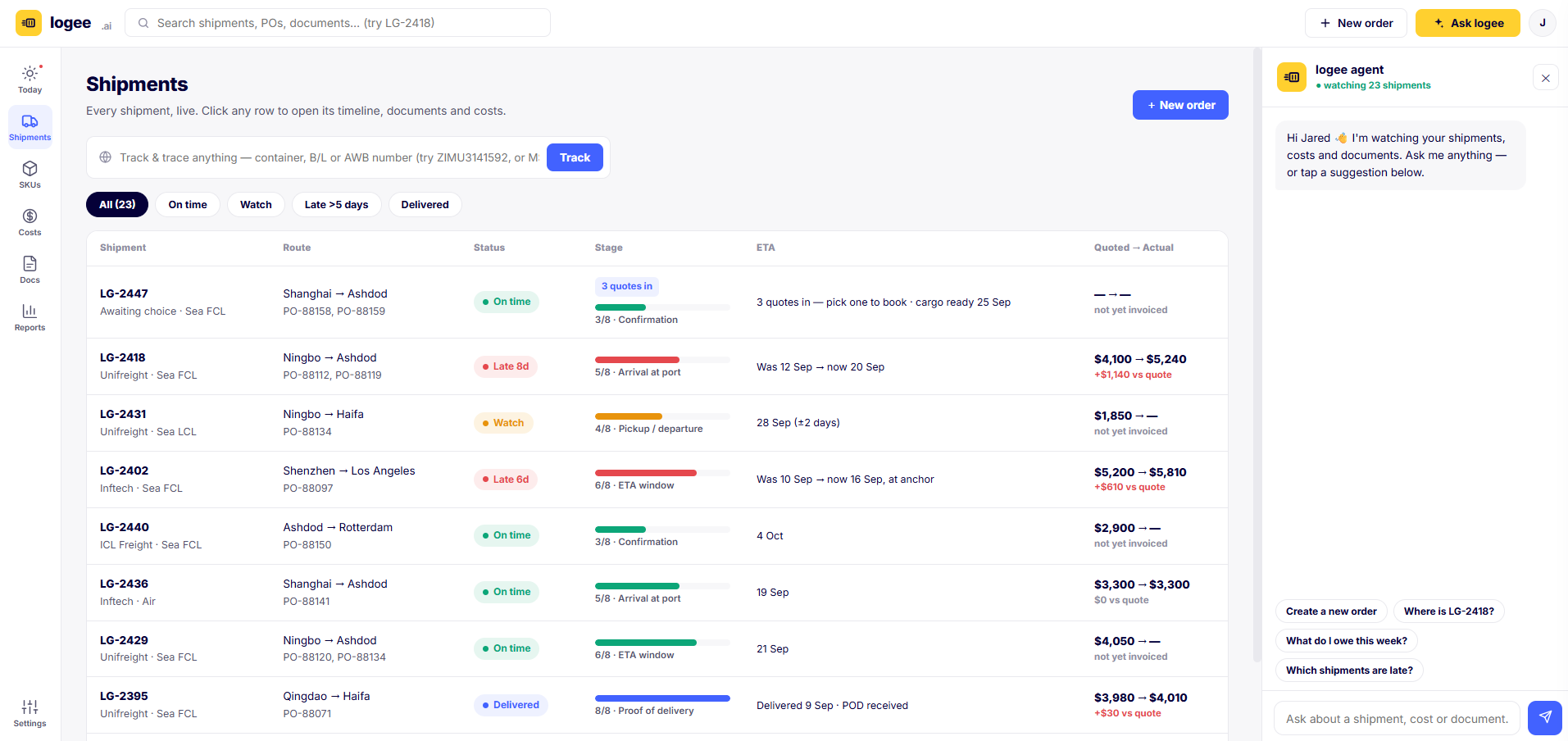
One shared vocabulary, every shipment
Whatever the mode, every shipment moves through the same eight stages, the model that came straight from talking to importers and exporters. It means you, your team and your forwarder are always looking at the same picture.
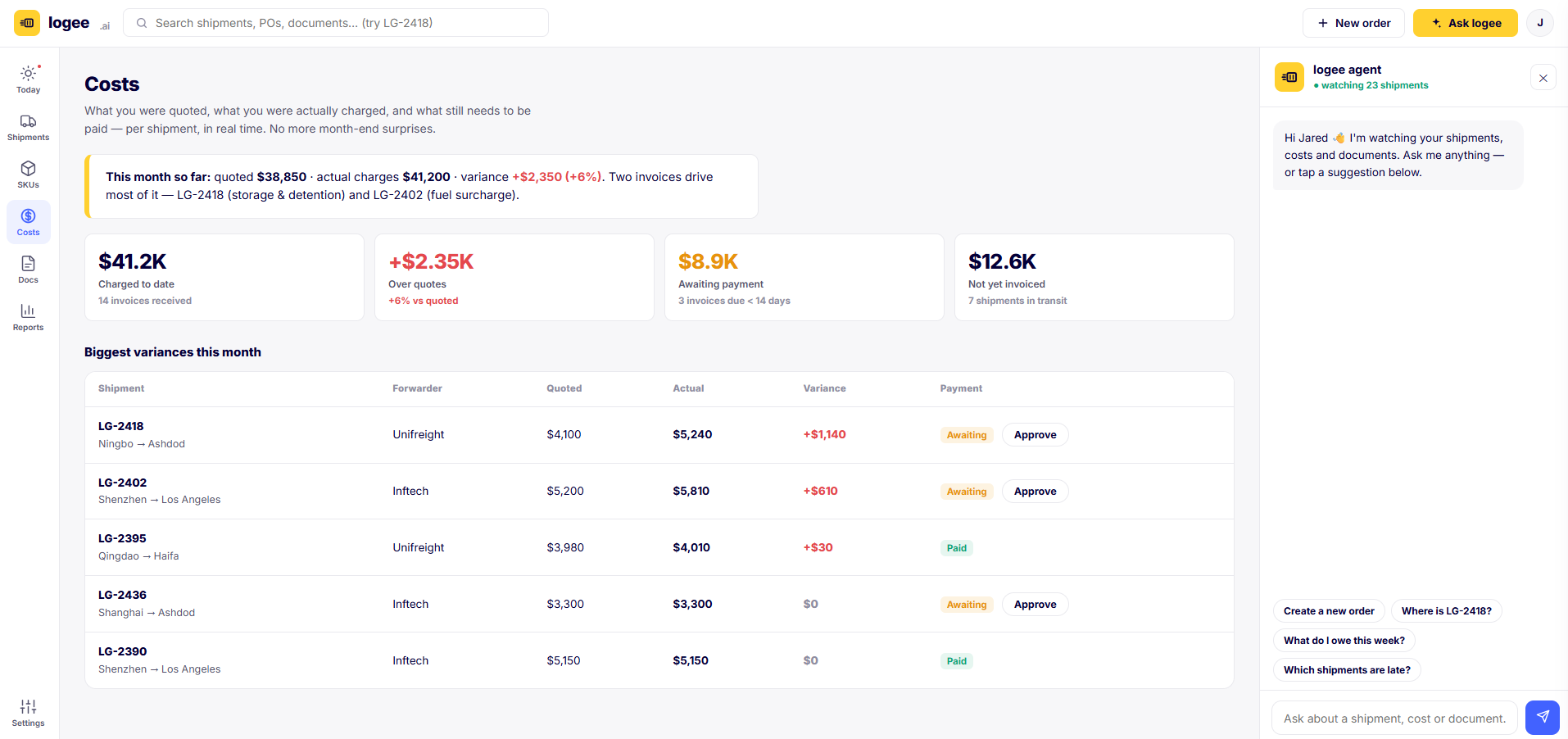
What you were quoted, what you were charged, in real time
The number-one pain we heard was not knowing a shipment's real cost until month-end. logee checks every freight invoice against its quote the moment it lands and shows quoted versus actual per shipment, variance in the open. Invoices sort with the biggest variance first, so overcharges rise to the top. Approve and schedule payment, or query a variance with the forwarder, right from the shipment.
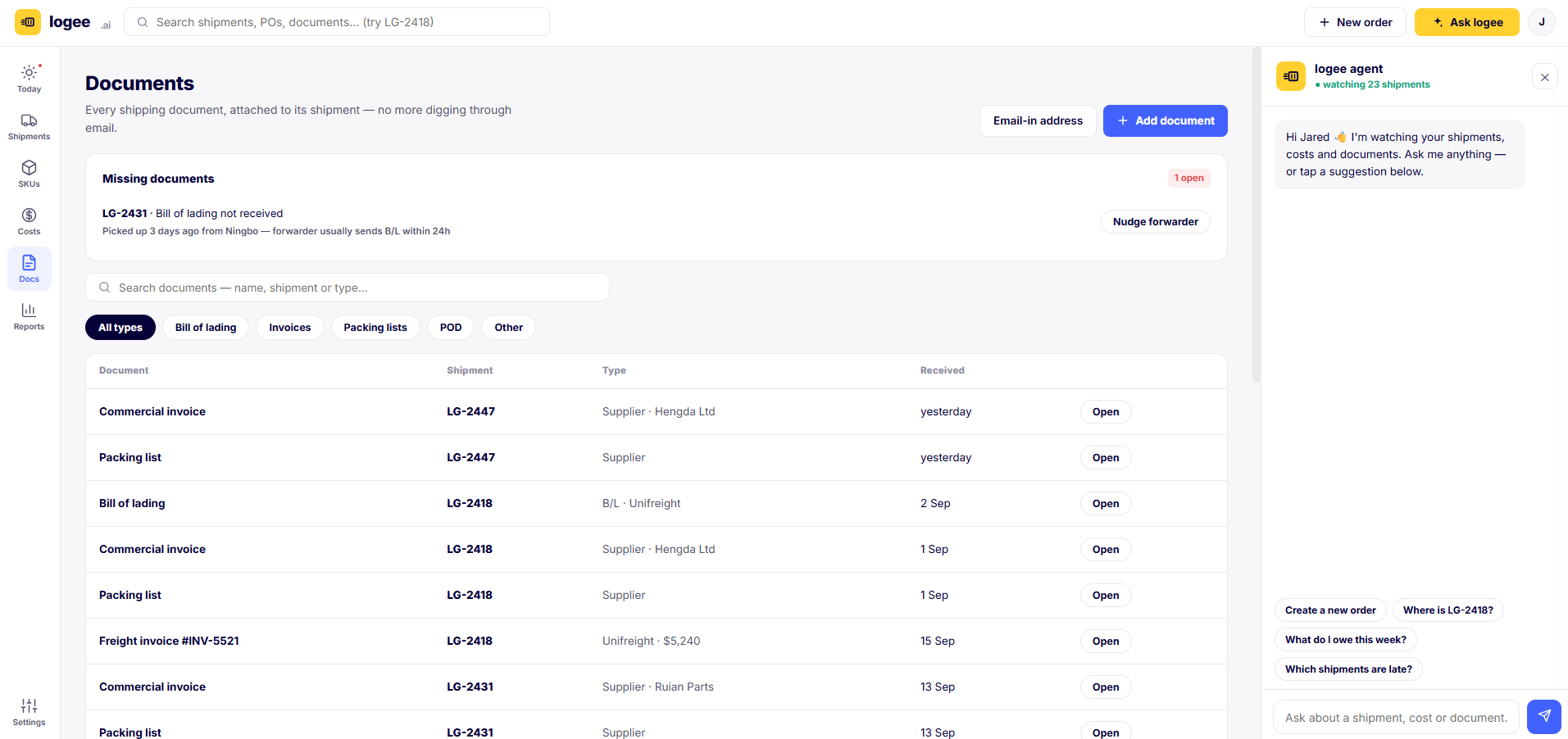
Every document, filed to the right shipment
Bills of lading, commercial invoices, packing lists, freight invoices and PODs attach to their shipment automatically, so there is no digging through email. Forward or CC any shipping email to your dedicated inbox address and the agent files it against the right order. logee also watches for what is missing, flagging, for example, a bill of lading that has not arrived within the usual window after pickup, and offers to nudge the forwarder.
A single event log behind everything
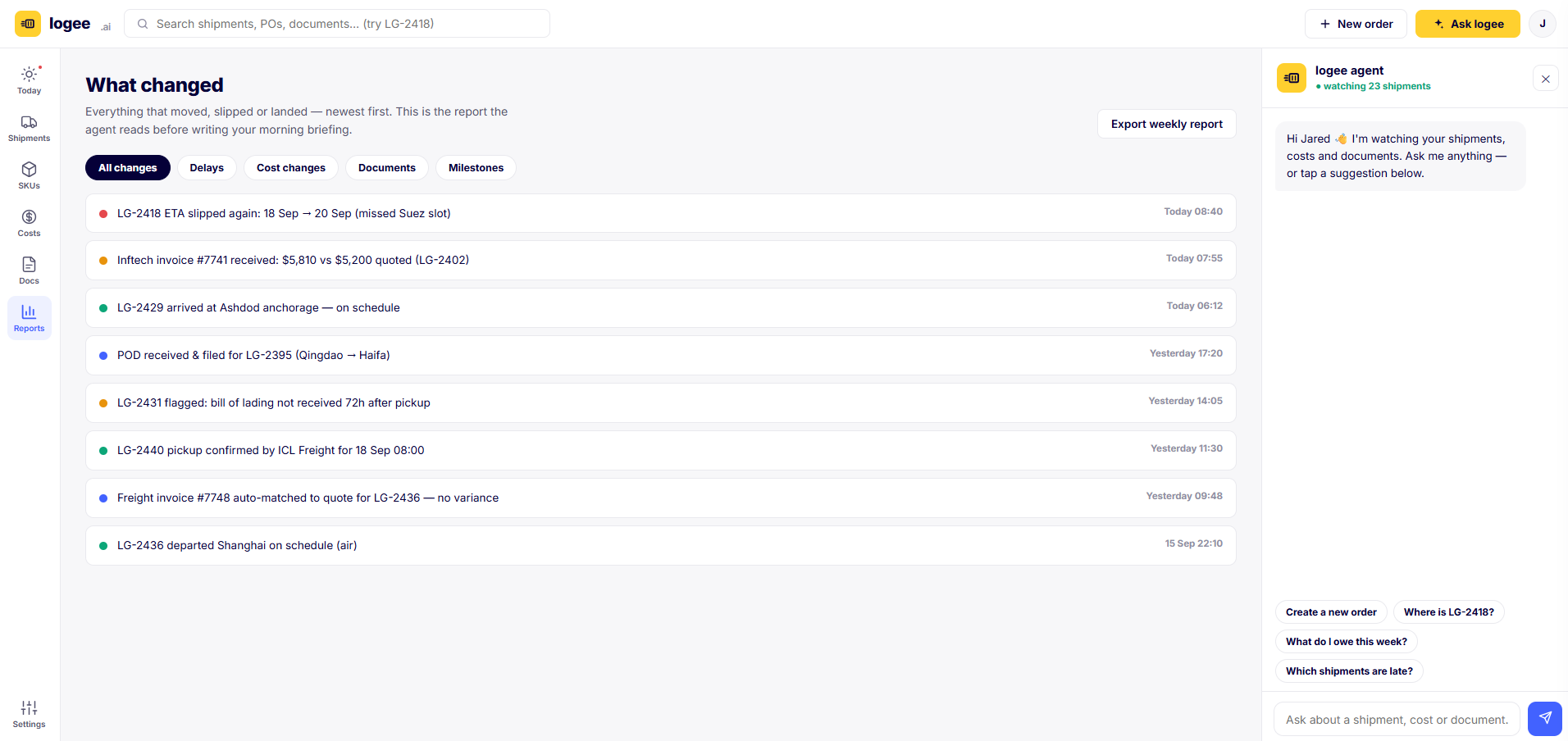
Everything that moves, slips or lands is written to one reverse-chronological feed: delays, cost changes, document events and milestones. It is the same record the agent reads before it writes your morning briefing, so the summary you get is grounded in real events, not guesswork. Export a weekly report whenever you or your finance team need it.
Your operating summary, written for you
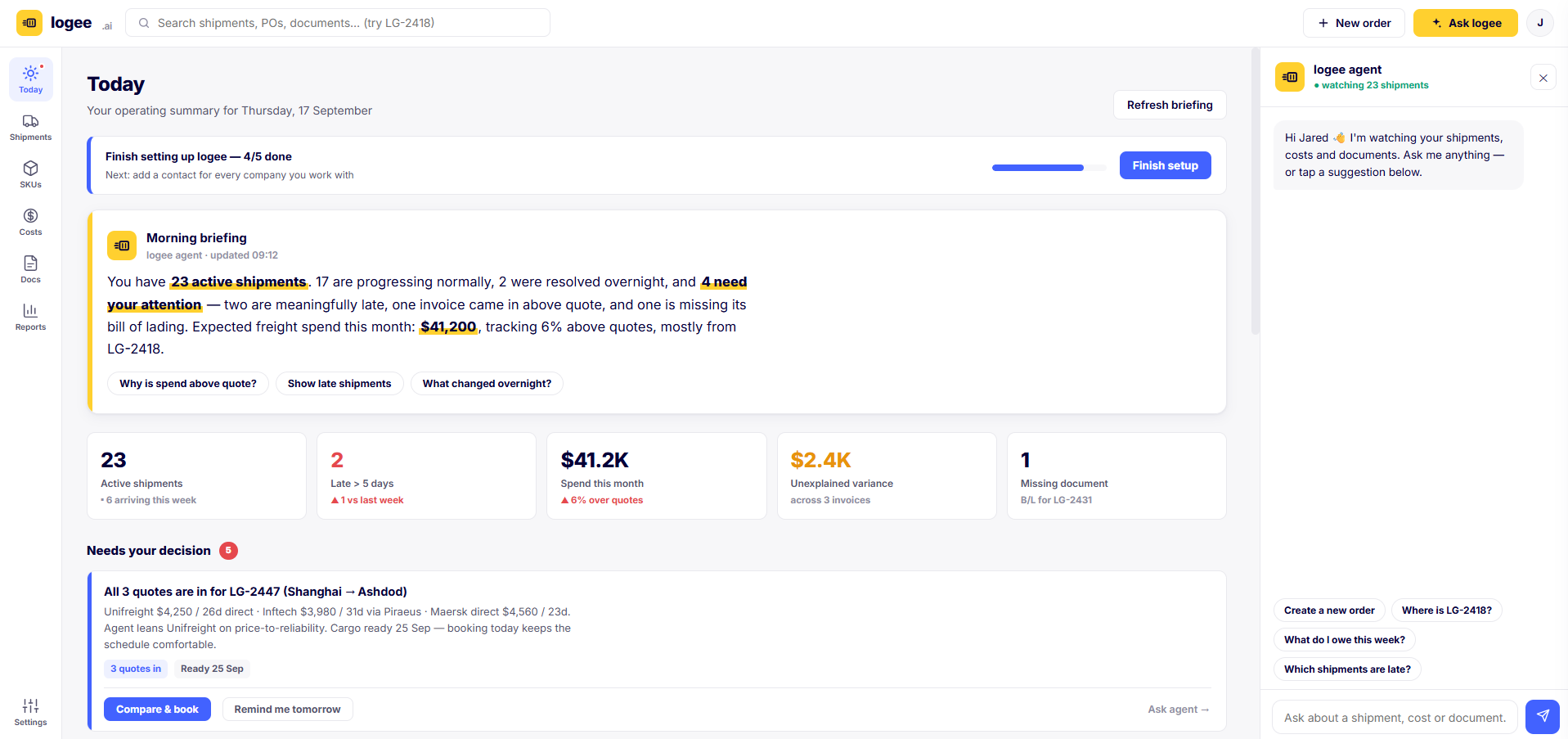
Today is the screen to open with your coffee. The agent reads the overnight record and writes a plain-language briefing: how many shipments are active, what changed, what needs your attention, and how spend is tracking against quotes. A KPI strip drills into late shipments, spend, unexplained variance and missing documents, and a Needs your decision queue surfaces the calls only you can make, each with the agent's recommendation and one clear action.
Warnings that reach you where you already are
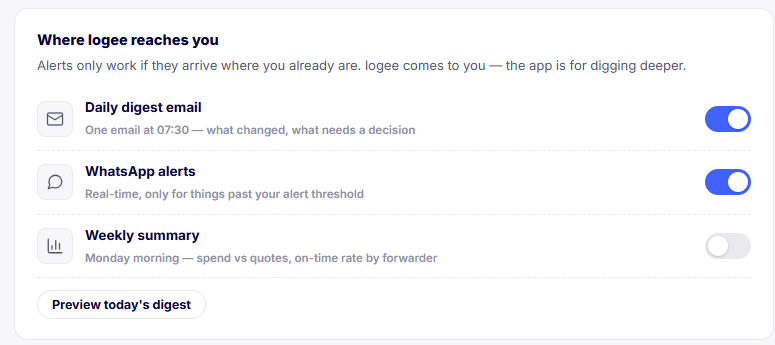
An early warning nobody sees is not a warning. logee comes to you: a daily digest email with what changed and what needs a decision, real-time WhatsApp alerts for anything past your threshold, and an optional weekly summary of spend versus quotes and on-time rate by forwarder.
You decide what counts as late. The attention queue flags a shipment only once it runs more than your chosen number of days past plan, so the alerting is as quiet or as sensitive as you want.

The right people see the right things
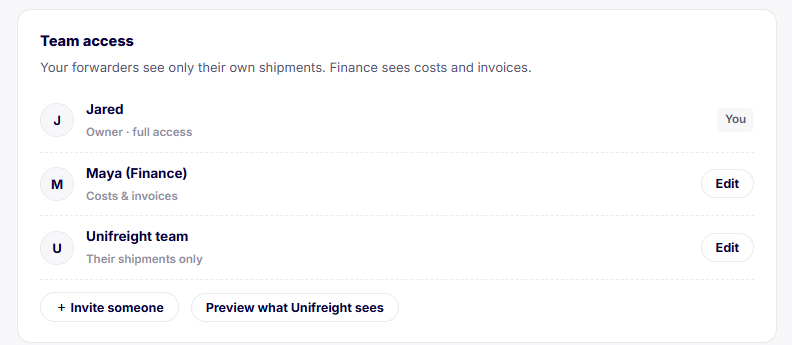
logee is built for real teams. Give finance a view of costs and invoices, give a forwarder access to only their own shipments, and keep full control as the owner. It is order-level permission, not all-or-nothing.
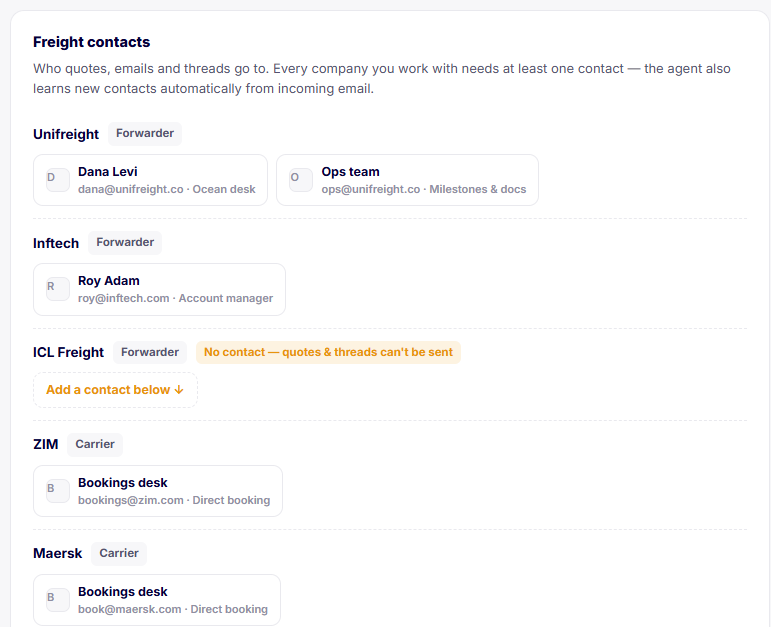
A freight-contacts directory holds who quotes and who threads go to for every company you work with, so a request or reply always has a real destination, and the agent learns new contacts from incoming email.
- Order-level, role-based access
- Forwarders see only their own shipments
- A contacts directory powers every quote request and reply
See it running on your own freight
Connect your inbox and logee gets to work in minutes. Start free, then upgrade as you grow.